AI-powered voice interaction
First, please read How ACUAH works.
Configuring AI(LLM) prompts
- Configure the AI(LLM) prompt in ACUAH.
- Use the API key you obtained from AI(LLM) API platform.
- Refer to AI, VoiceAPI settings to configure the AI(LLM).
(Example) Using ChatGPT for AI(LLM)
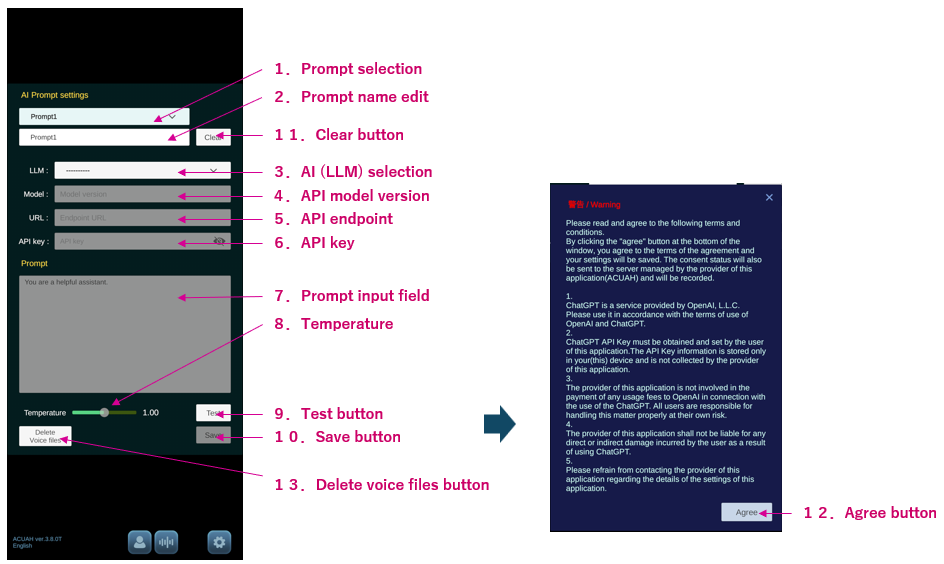
- 1.Select "Prompt1" in "Prompt selection".
- 3.Select "ChatGPT" in "AI(LLM) selection".
- 6.Enter (paste the text) the created OpenAI API key in "API key".
- 9.Tap the "Test" button and confirm ChatGPT responds normally.
- 10.Tap the "Save" button.
- 12.Tap the "Agree" button to consent to using OpenAI services.

Configure voice settings
To convert AI (LLM) response text into speech (character voice), you must configure a server or service for text-to-speech synthesis. You MUST also complete these Voice settings.
(Example)
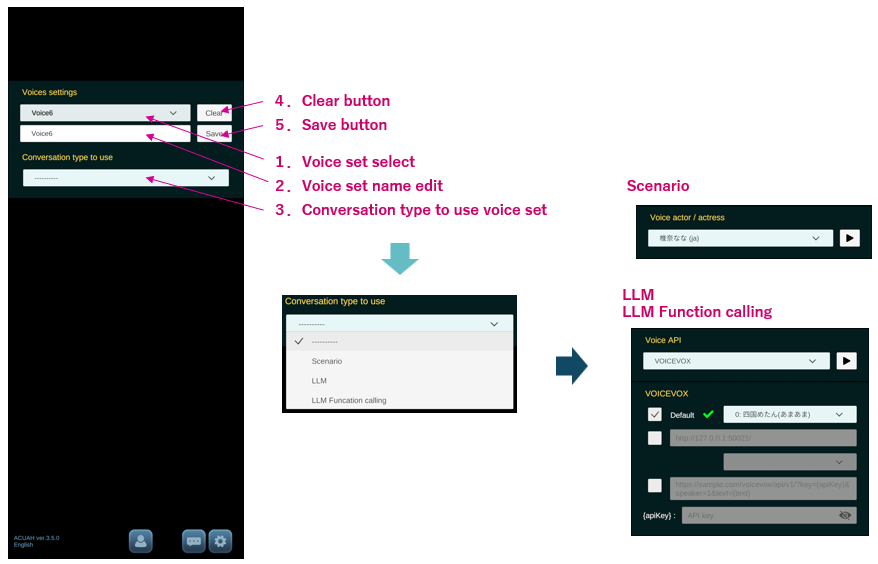
- 1.Select "Voice4" in the "Voice set select".
- 3.Select "LLM" in the "Conversation type to use voice set".
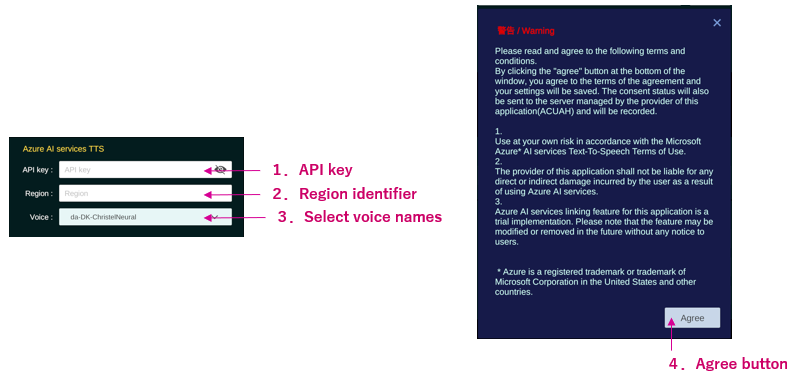
- The "Voice API" settings panel appears. Select "Azure AI services TTS".
- Input Azure AI Speech service API key you obtained (refer About voice API) to the "API key" field.
- Input Azure AI Speech service Location/Region text to the "Region" field.
- Select the type of voice audio from the list.
- Tap the “▶” button for the Voice API to verify the voice plays.
- 5.Tap the "Save" button.
- 4.Tap the "Agree" button to consent to using the text-to-speech server.

Setting AI (LLM) and voice for a character
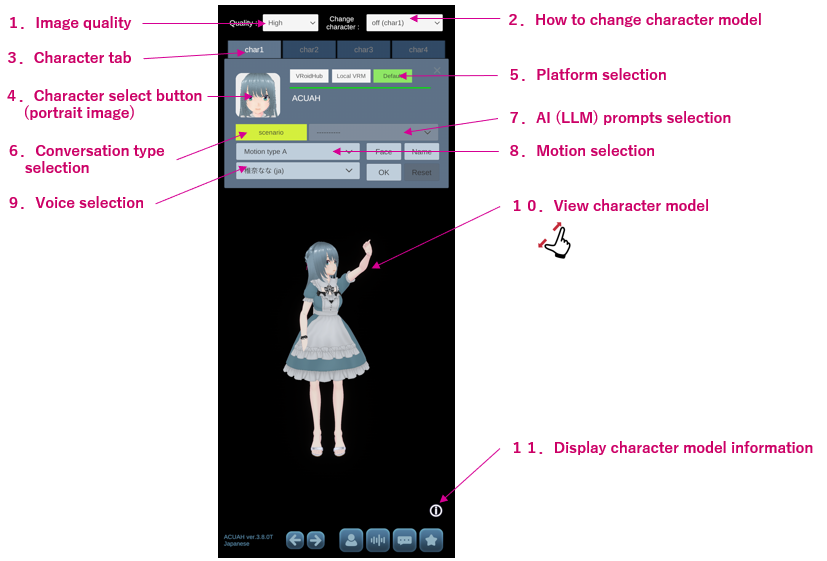
- Display the character selection/settings screen using the method confirmed in First launch of application.
(Example)
- 6.Tap "Conversation type selection" and choose "LLM".
- 7."AI(LLM) prompts selection", choose "Prompt1".
- 9."Voice selection", choose "Voice4".
- Tap the "OK" button to complete the character settings.
Talking to the characters (voice recognition)
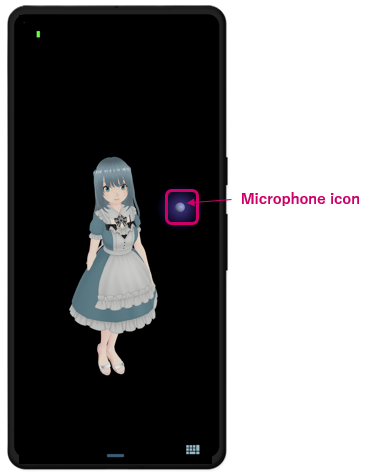
A microphone icon (purple sphere) appears in the screen. Please speak to the character while the microphone icon is glowing softly.
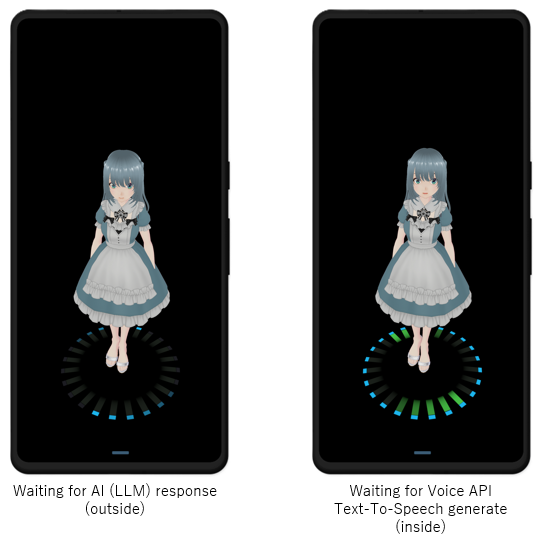
A progress indicator is displayed at the bottom of the screen while the AI (LLM)/Voice API is processing. The outer ring is for LLM processing, and the inner ring is for Voice API voice data generation. The color of the indicator depends on the type of LLM. Depending on the load status of the external server, it may take some time to respond.
■ ChatGPT ■ Gemini ■ Claude ■ Llama ■ Grok